Every card, tracked.
A free deck tracker for MARVEL SNAP on Windows. An overlay beside the board, your record under your deck, every match in a dashboard.
Lytra runs on a Windows PC for now: download it there. Android is one of our goals.
v0.1.38 · Windows 10 & 11 · Free
- FreeNo ads, no trial.
- No accountInstall it and play.
- Your matches stay localOnly what you choose to send leaves your PC.
- Updates itselfNew versions from GitHub.
Features
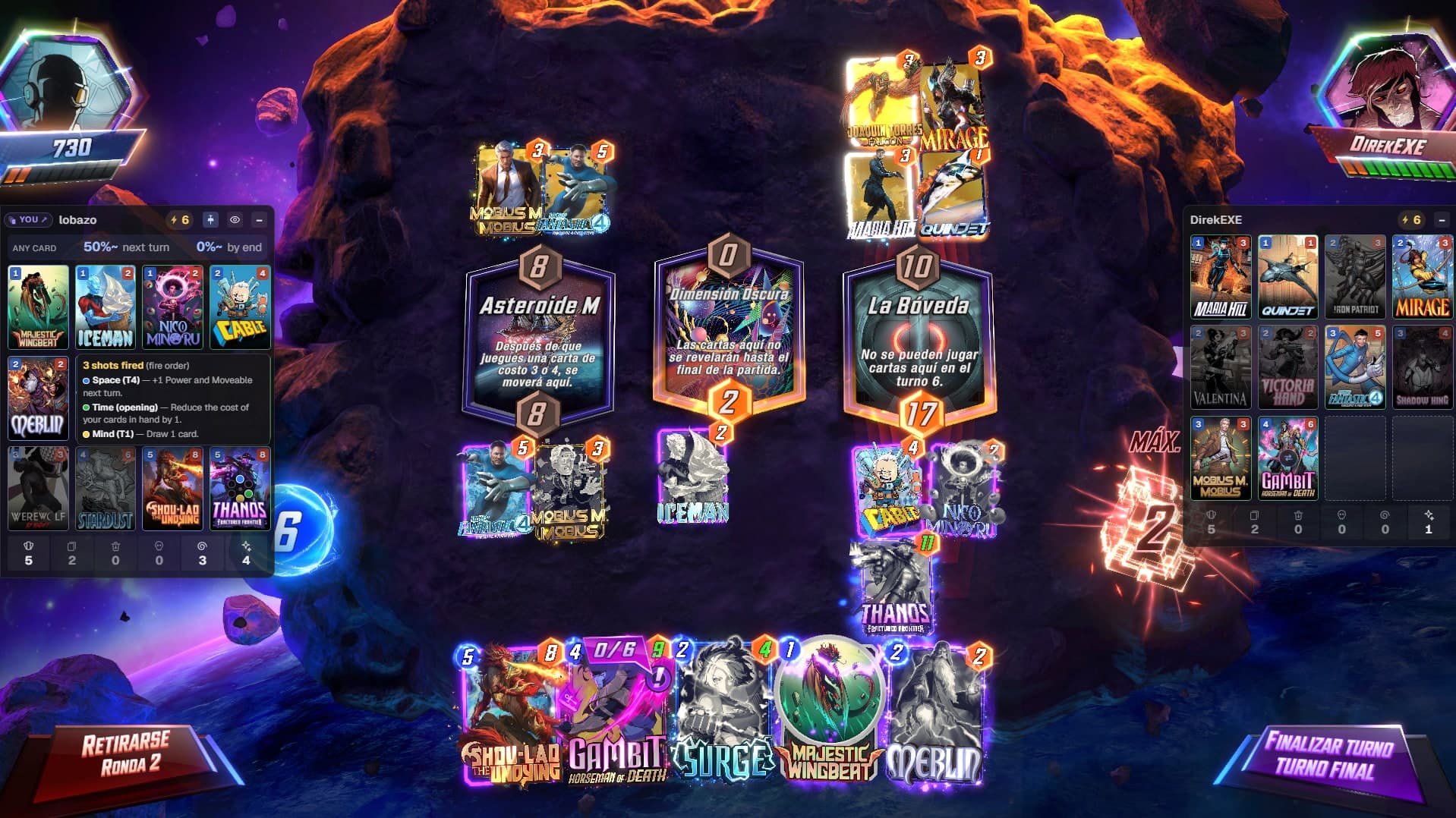
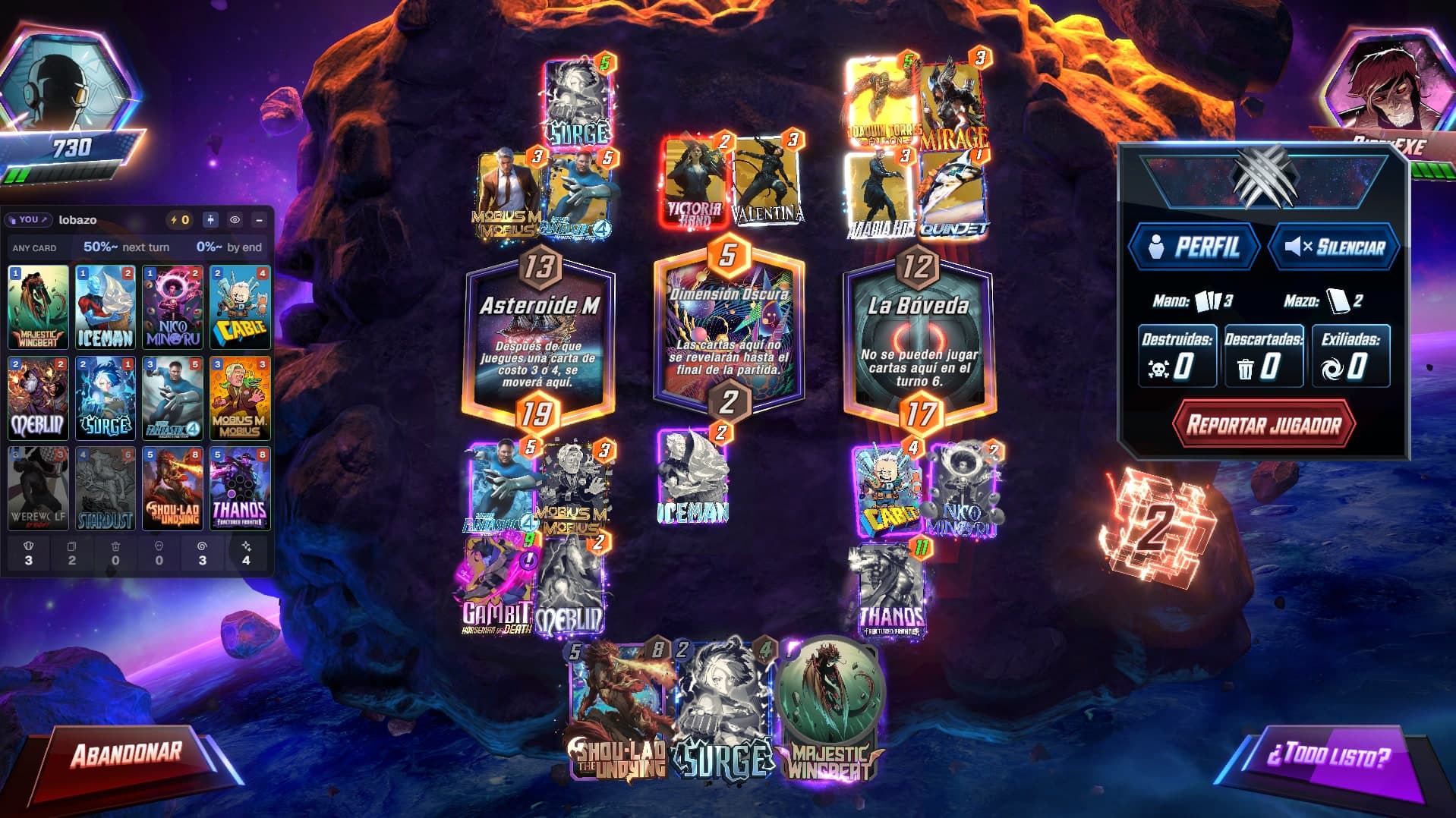
Beside the board, all match long.
01
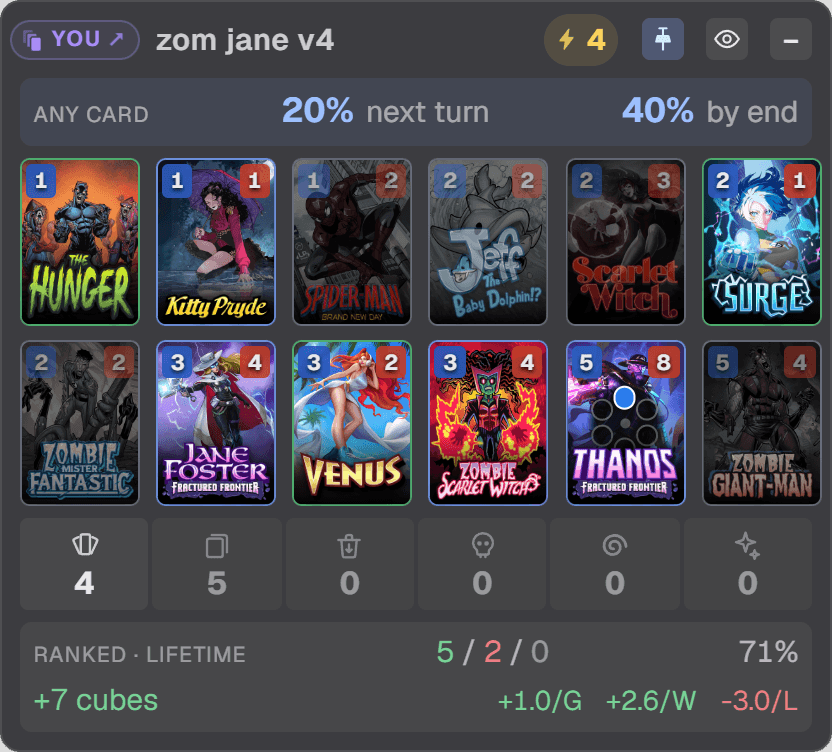
Your deck, live
What is left in your deck, what you drew and what you played, card by card. And your odds of drawing what you still need.
17% next turn·50% by end
02
Your opponent's cards, as they play them
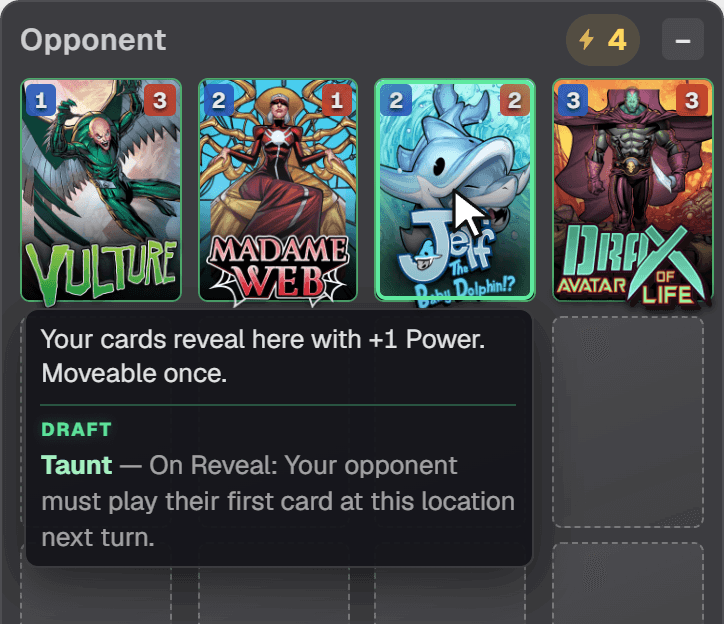
Each card they reveal appears in a panel on their side. Only what they play: never their hand, their deck or their draws.
Shown
The cards they reveal
Never
- Their hand
- Their deck
- Their draws
03
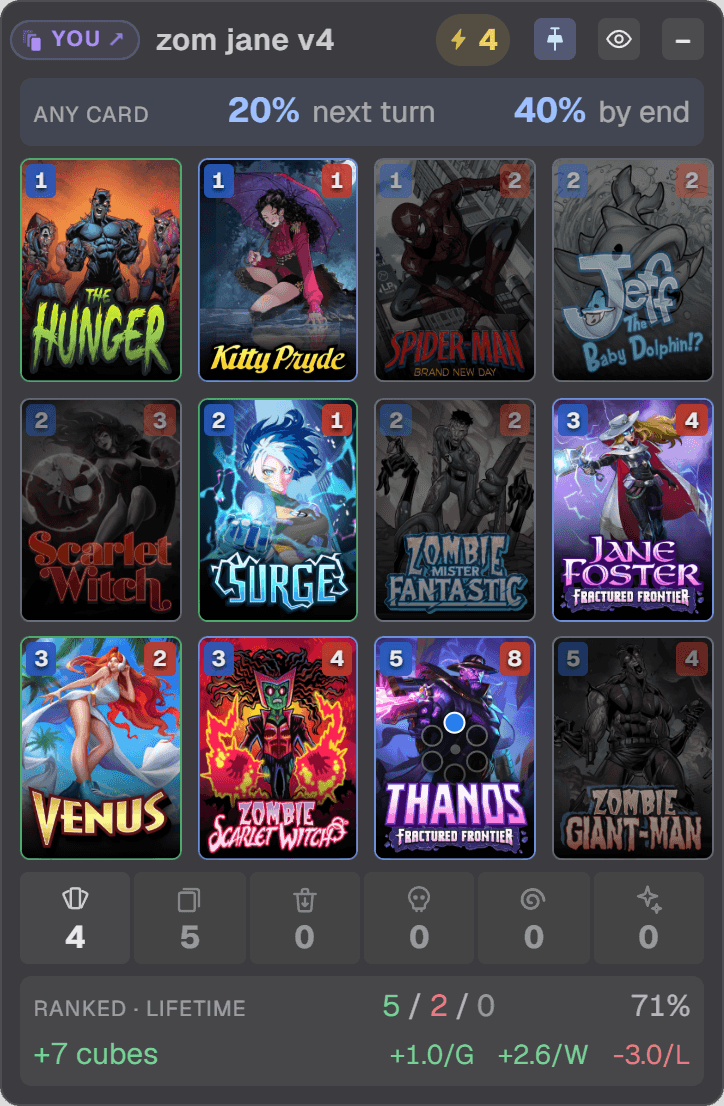
Your record, under your deck
W / L / T, win rate and cubes for the exact twelve cards you are playing, lifetime or this session.
under the deck · zom jane v4
LifetimeThis session
04
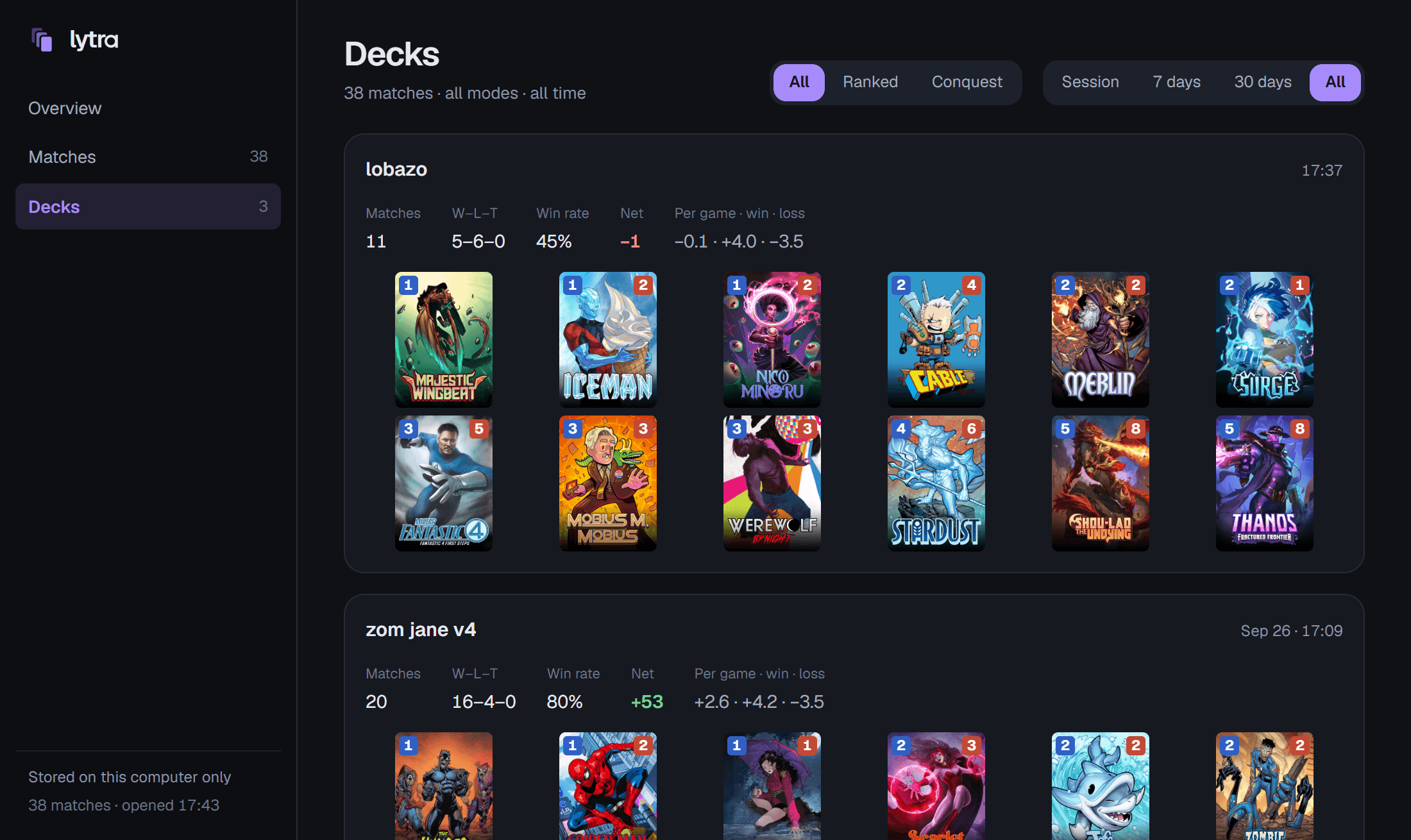
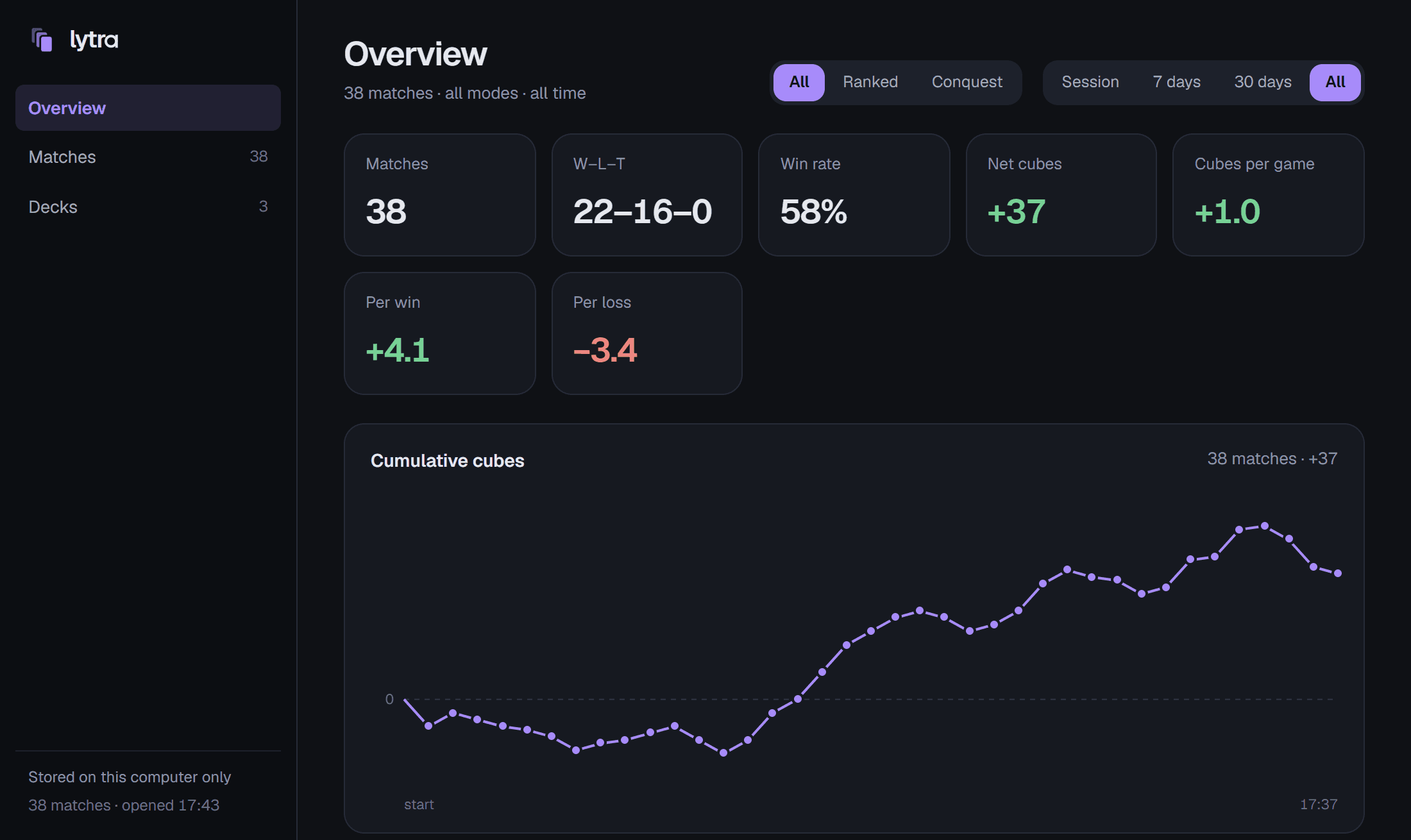
The dashboard
Every match, your decks, and how each card does in them. It opens in your browser.
05
Fits your screen
Three grids, 4 × 3, 3 × 4 and 6 × 2, and three sizes: Small, Normal and Large. Switch between them from the tray.
06
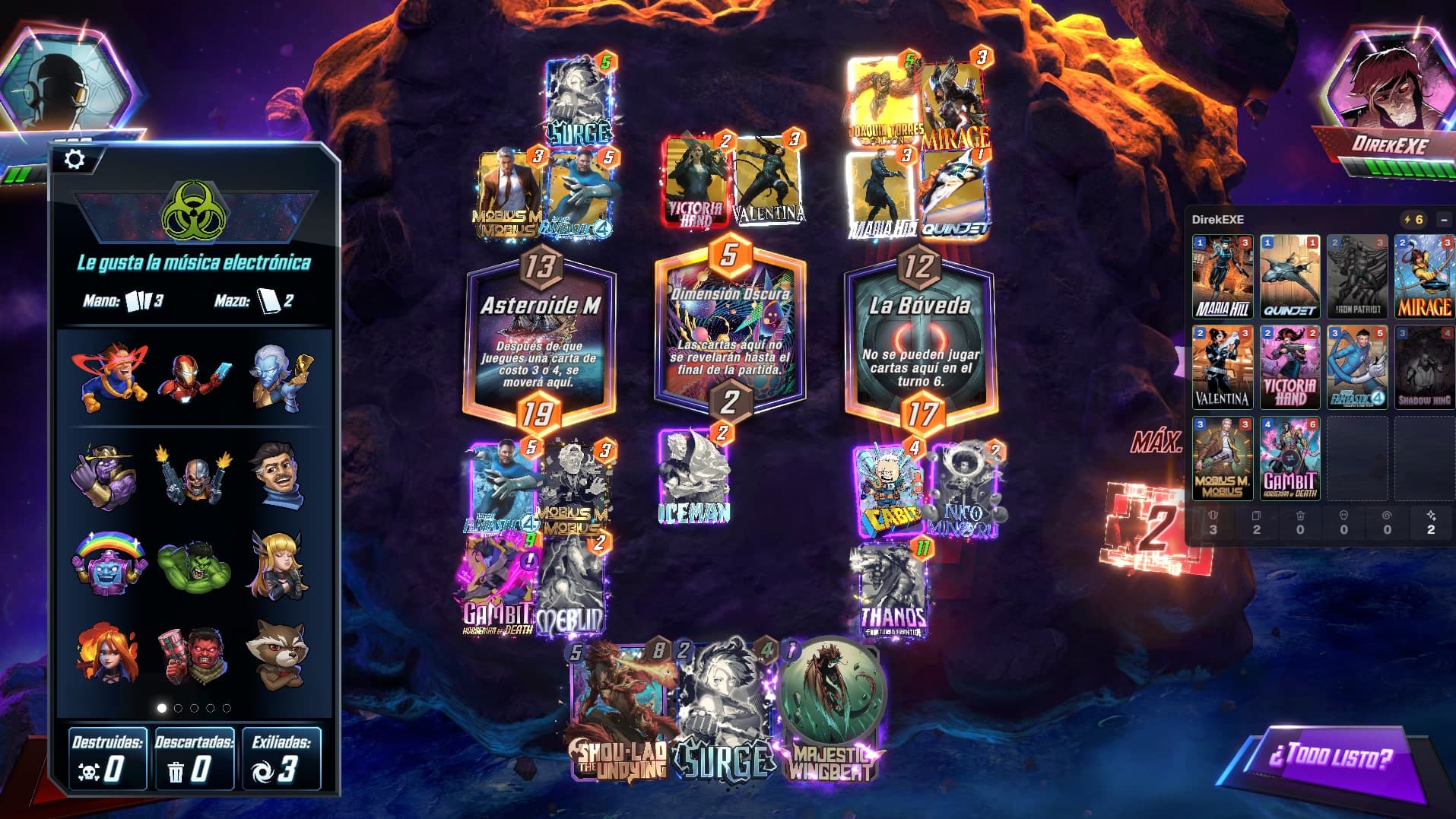
Out of your way
Open your avatar to send an emote, or your opponent's to see their info, and the panel on that side steps aside until the menu closes.
07
In Draft, too
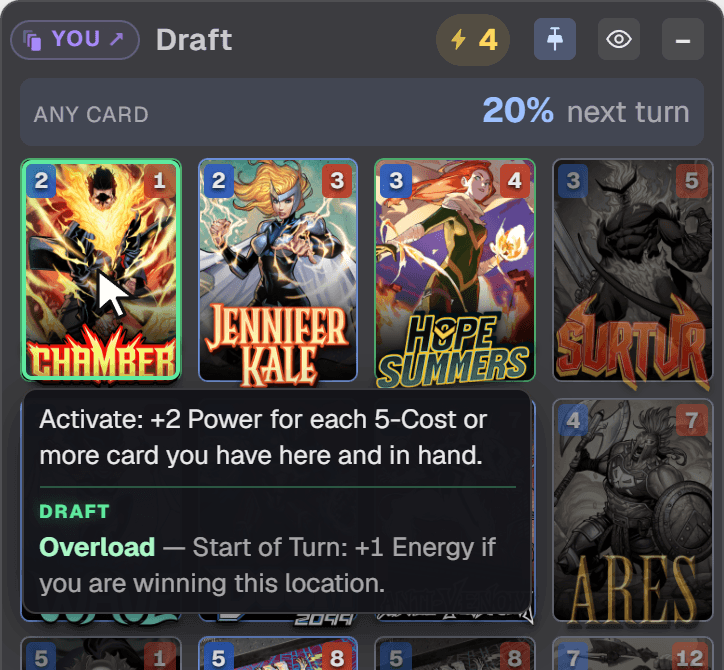
Your panel tracks the deck you drafted for the run, and under it shows how the run is going: five dots for the wins that take it, two for the losses that end it, filled as they come. Beside them, a heart while you have an extra life to keep going after the second loss, and the mystery card while the day's bonus for winning a run is still yours to take. Draft matches stay out of your stats.
DraftWL
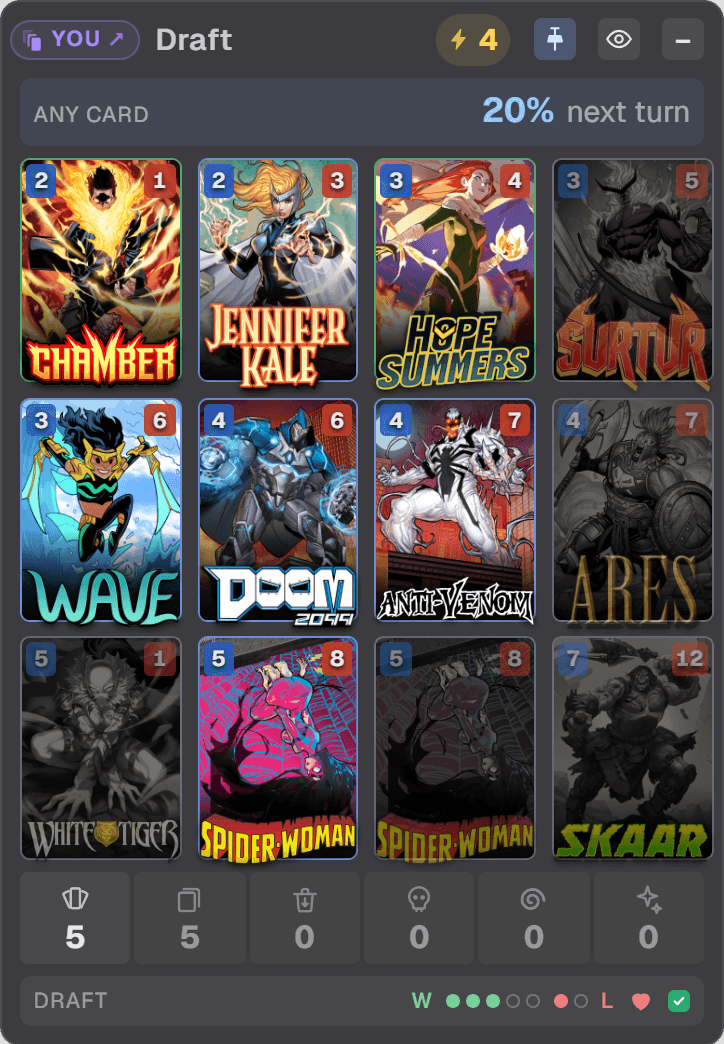
A card's Draft augment is in its tooltip, under the card's own text: yours once you draw the card, your opponent's once they reveal it.
Privacy
What Lytra reads.
On your PC only, it reads
- the game's log
- the state files the game writes
- the game's memory, while the game runs
It only reads
- It injects nothing.
- It changes nothing.
- It automates nothing.
It shows only what the game already shows you.
What leaves your PC
Nothing about you.
It connects to GitHub to check for updates, and to lytra.app only when you send a bug report or turn on a public profile. The app has no account.
Install
Three steps.
- 1Download the installerThe file ends in
-setup.exe. - 2Get past the Windows warningWindows may say it “protected your PC”, because the installer is not signed yet. Choose More info, then Run anyway.
- 3Open MARVEL SNAPLytra finds the game, and the overlay appears.
FAQ
Before you install.
Is it free?
Yes. Lytra is free to download and use, with no account to create.
Can I support it?
If Lytra helps you, you can leave a tip on Ko-fi. Tips unlock nothing: Lytra stays free for everyone. ko-fi.com/teo730
Is it allowed?
Lytra is unofficial, and the game's terms may restrict third-party tools that read it. Whether to use it is your call and your risk.
Does it see my opponent's hand?
No. It shows the cards your opponent plays, once the game reveals them. Never their hand, their deck or their draws.
Does it work on Mac or phone?
Not yet. Today Lytra runs on a Windows PC only, Windows 10 or 11, next to the PC version of MARVEL SNAP. Bringing it to Android is one of our goals.
Is it in Spanish?
Yes. Lytra speaks English and Spanish: the overlay, the dashboard, and the cards' names and texts, in the game's own Spanish. It follows your Windows language, or pick one under Language in Lytra's menu in the tray. From Lytra 0.1.15.
Can I show it on stream?
Yes, in OBS. In Lytra's menu in the tray, click Copy OBS link. In OBS, add a Browser source, paste the link as its URL and give it your canvas size, 1920 × 1080 in most setups, above your game capture. It lines up with the game on its own, over a transparent background, and follows your overlay. From Lytra 0.1.13. A Window capture of Lytra works too: if it lands off the canvas, right-click it, then Transform and Fit to screen.
Where is my data?
On your PC. Every match is stored there, and the dashboard reads it from there, in your browser. Nothing is uploaded unless you turn on a public profile.
Will my matches go to the cloud?
Only if you want them to. Turn on Public profile in Lytra's dashboard, and your Ranked and Conquest matches go to a page of your own at stats.lytra.app, under the name you choose. Your opponents' names and cards never go up. It is off until you turn it on, and you can hide it or delete it at any time. From Lytra 0.1.22.
Feedback
Tell us what you think.
Lytra is early. What you tell us decides what comes next.